
반응형
📝Git Action
GitHub에서 제공하는 CI/CD 도구로 저장소에 코드를 push할 때 자동으로 빌드, 테스트, 배포 등 여러 작업을 실행할 수 있게 해주는 워크플로우 시스템입니다.
GitHub Actions 설명서 - GitHub Docs
GitHub Actions를 사용하여 리포지토리에서 바로 소프트웨어 개발 워크플로를 자동화, 사용자 지정 및 실행합니다. CI/CD를 포함하여 원하는 작업을 수행하기 위한 작업을 검색, 생성 및 공유하고 완
docs.github.com
📝Next.js Vercel 자동 배포
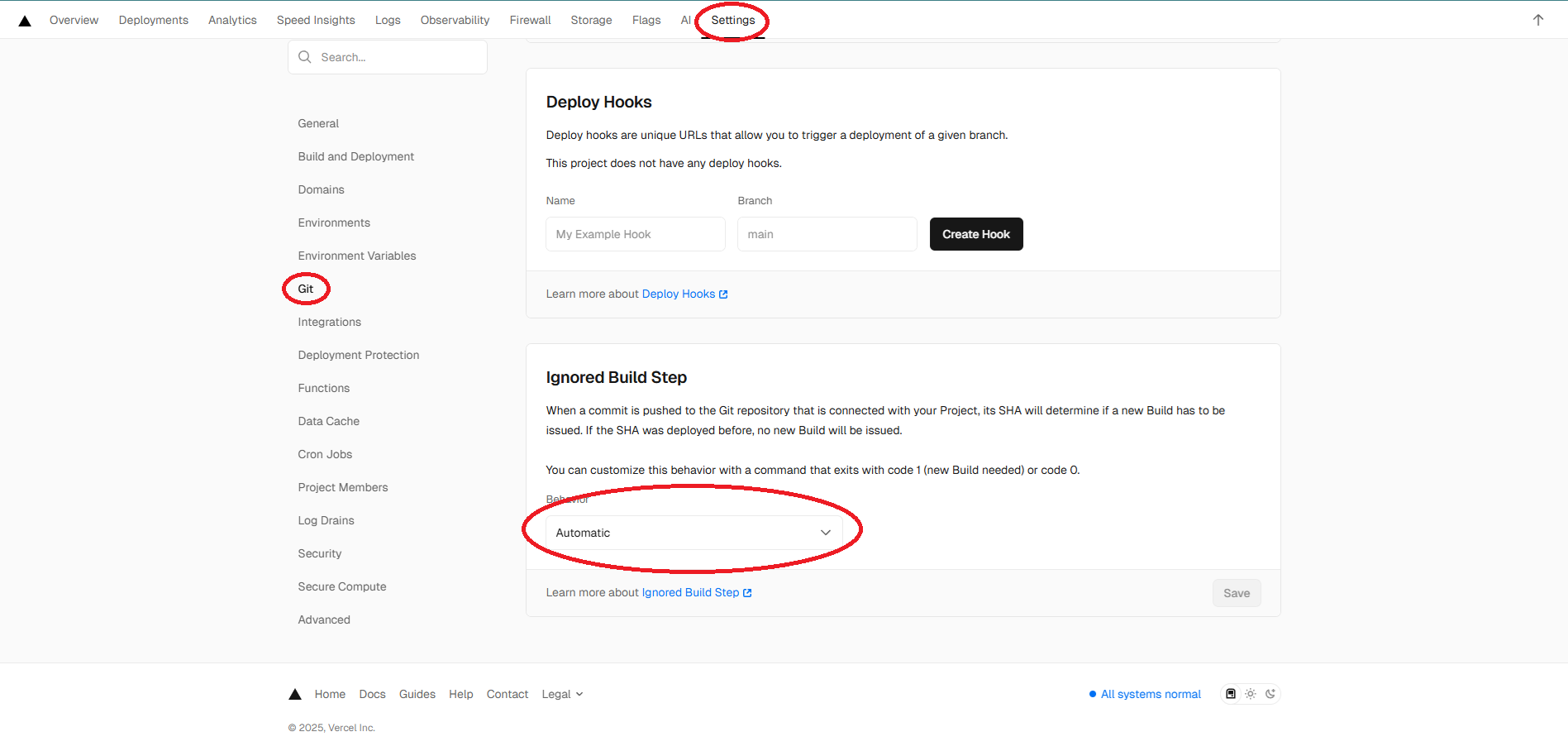
Vercel에서 제공하는 기능으로 Git을 Vercel하고 연결하고 Vercel Dashboard 들어간 이후 Settings → Git → Ignored Build Step에서 Behavior를 Automatics로 설정하면 Main Branch를 확인해서 변동사항을 확인 후 알아서 배포합니다.
📝Next.js Vercel GitHub Actions
.github/workflows/preview.yaml
name: Vercel Production Deployment
env:
  VERCEL_ORG_ID: ${{ secrets.VERCEL_ORG_ID }}
  VERCEL_PROJECT_ID: ${{ secrets.VERCEL_PROJECT_ID }}
on:
  push:
    branches:
      - main
jobs:
  Deploy-Production:
    runs-on: ubuntu-latest
    steps:
      - uses: actions/checkout@v2
      - name: Install Vercel CLI
        run: npm install --global vercel@latest
      - name: Pull Vercel Environment Information
        run: vercel pull --yes --environment=production --token=${{ secrets.VERCEL_TOKEN }}
      - name: Build Project Artifacts
        run: vercel build --prod --token=${{ secrets.VERCEL_TOKEN }}
      - name: Deploy Project Artifacts to Vercel
        run: vercel deploy --prebuilt --prod --token=${{ secrets.VERCEL_TOKEN }}
각 프레임워크나 언어별로 가이드라인이 있을 것입니다.
위는 Vercel에서 제공한 GitHub Actions를 이용한 방법입니다.
How to Use GitHub Actions to Deploy to Vercel
Learn how to use GitHub Actions as your CI/CD provider to deploy to Vercel, including support for GitHub Enterprise Server.
vercel.com
반응형